Claude, Claude Code and Codex each keep memory in a different place, so none of them sees what the others learned. To give them the same memory, keep the notes, rules and decisions your team shares in plain markdown files in one folder, with an AGENTS.md file that Codex and Claude Code both read. Then connect Claude chat to those same files instead of relying on its built-in memory.
Key takeaways
- Claude chat keeps memory inside Anthropic's app, with a separate memory for each project.
- Claude Code's auto memory stays on one computer, while Codex reads AGENTS.md files.
- A folder of markdown files is the one place all three tools can read the same way.
Picture a five-person product studio to keep this concrete. The founder plans in Claude chat, one developer works in Claude Code, and another works in Codex, and all three keep re-explaining who the clients are, how the studio writes, and what was decided last week.
Where does each tool keep its memory today?
Claude chat, Claude Code and Codex each store memory in its own place, and none of them reads the others' memory. That's why the studio's three people can ask the same question and get three different answers back.
- Claude chat builds memory from your conversations, and each project has its own memory that other projects can't see [1]. On Team and Enterprise plans, owners decide whether memory is available at all [1].
- Claude Code reads CLAUDE.md files you write and keeps an auto memory it writes itself. Auto memory is machine-local, and its files aren't shared across machines or cloud environments [2].
- Codex reads AGENTS.md files from your Codex home folder and from the project, walking from the project root down to the folder you're working in [3].
The founder's chat memory never reaches the developers, and each developer's notes stay on their own laptop, so the useful question is which of these places two or more tools can read.
Which file can Claude Code and Codex both read?
AGENTS.md is the file both coding tools can read. Codex reads it by default, and Claude Code v2.1.277 or later reads a project's AGENTS.md when there's no CLAUDE.md in the working directory or above it [2].
If a project has both files, Claude Code reads only CLAUDE.md, unless that CLAUDE.md imports AGENTS.md [2]. The simplest pattern is one AGENTS.md with the shared rules, plus a CLAUDE.md that imports it if you ever need Claude-only additions.
Quick check: open your project folder and look for a CLAUDE.md, an AGENTS.md, or both. If there are both and the CLAUDE.md doesn't import AGENTS.md, Claude Code and Codex are reading different instructions today.
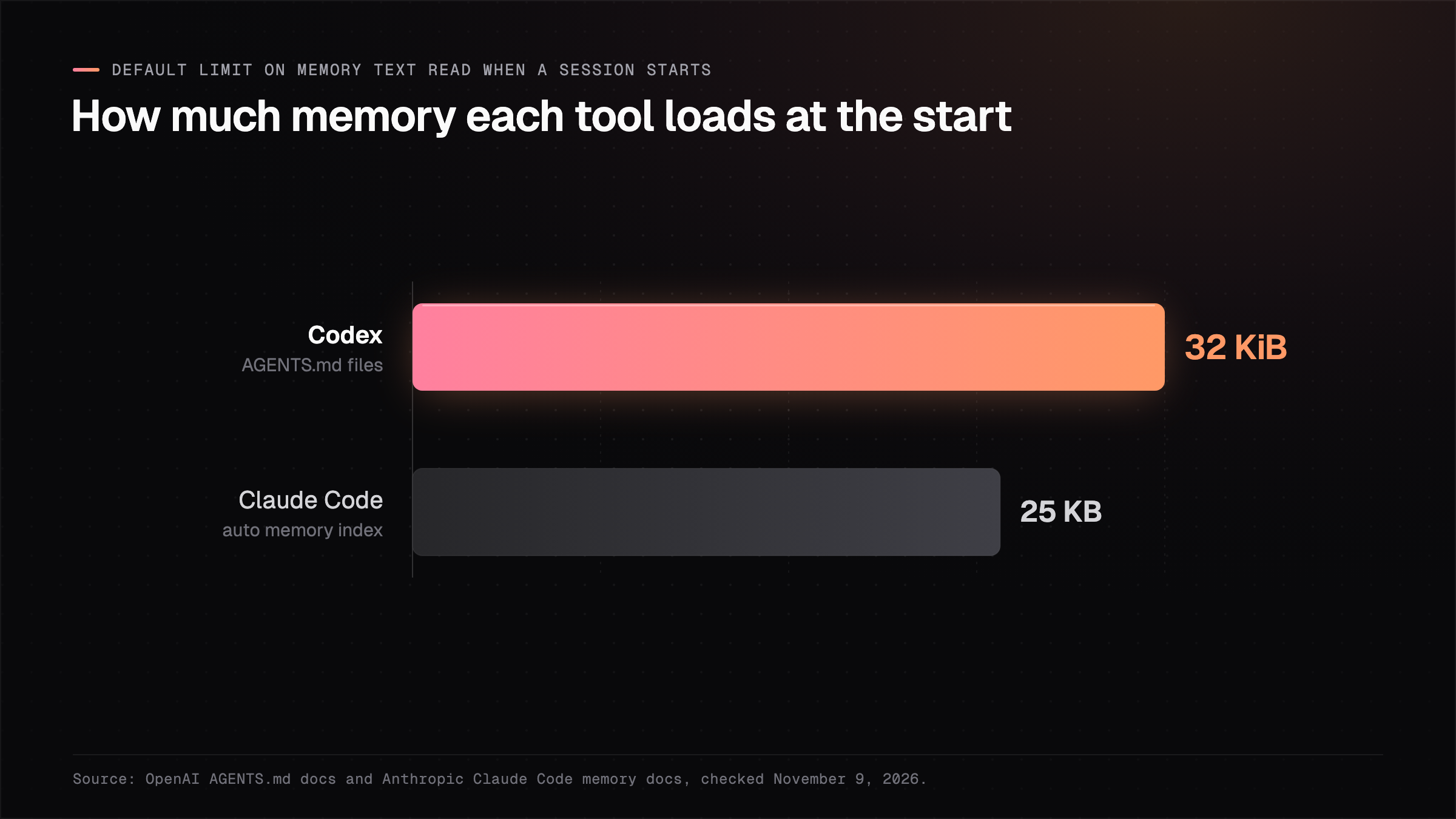
Both tools also cap how much they load. Codex stops adding AGENTS.md files once their combined size reaches 32 KiB by default [3], and Claude Code loads the first 200 lines or 25KB of its auto memory index when a session starts [2].
32 KiB
That's how much AGENTS.md text Codex loads by default before it stops adding files.Source: OpenAI, AGENTS.md docs
Those limits mean the instruction file should hold only the rules every session needs. Longer background belongs in separate notes the tools open when a task calls for them, and those same notes are how Claude chat gets in.
How do you get Claude chat onto the same memory?
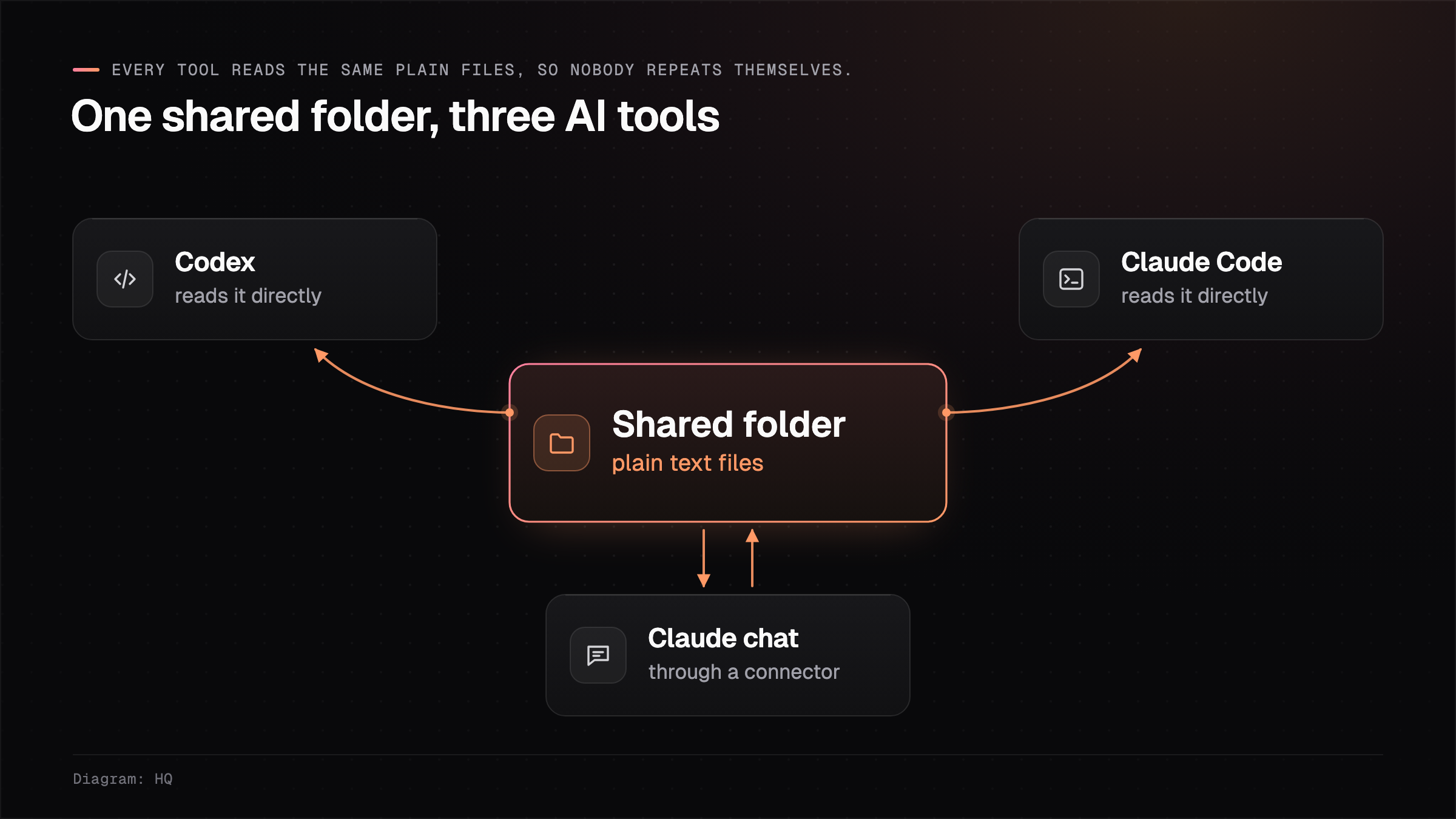
You connect Claude chat to the folder's files through a connector, so it reads what the coding tools read. Claude chat can't open a folder on your laptop, but it can use custom connectors built on the Model Context Protocol, the open standard that Claude Code and Codex also use to reach outside tools [4].
For the studio, that means three changes to how the team works:
- Decisions get written to a shared notes file, whichever tool the person had open when the decision was made.
- Client background lives in one file per client, and every tool opens that same file when it needs the client.
- Built-in chat memory stays on for personal preferences, and anything the team needs goes into the folder.
If a fact matters to the whole team, write it in the shared folder where every tool can read it.
A shared folder is easy to keep on one laptop, but keeping it current for a whole team on different machines takes more work.
How this works in HQ
HQ is a shared home for your company's knowledge, kept as plain markdown files.
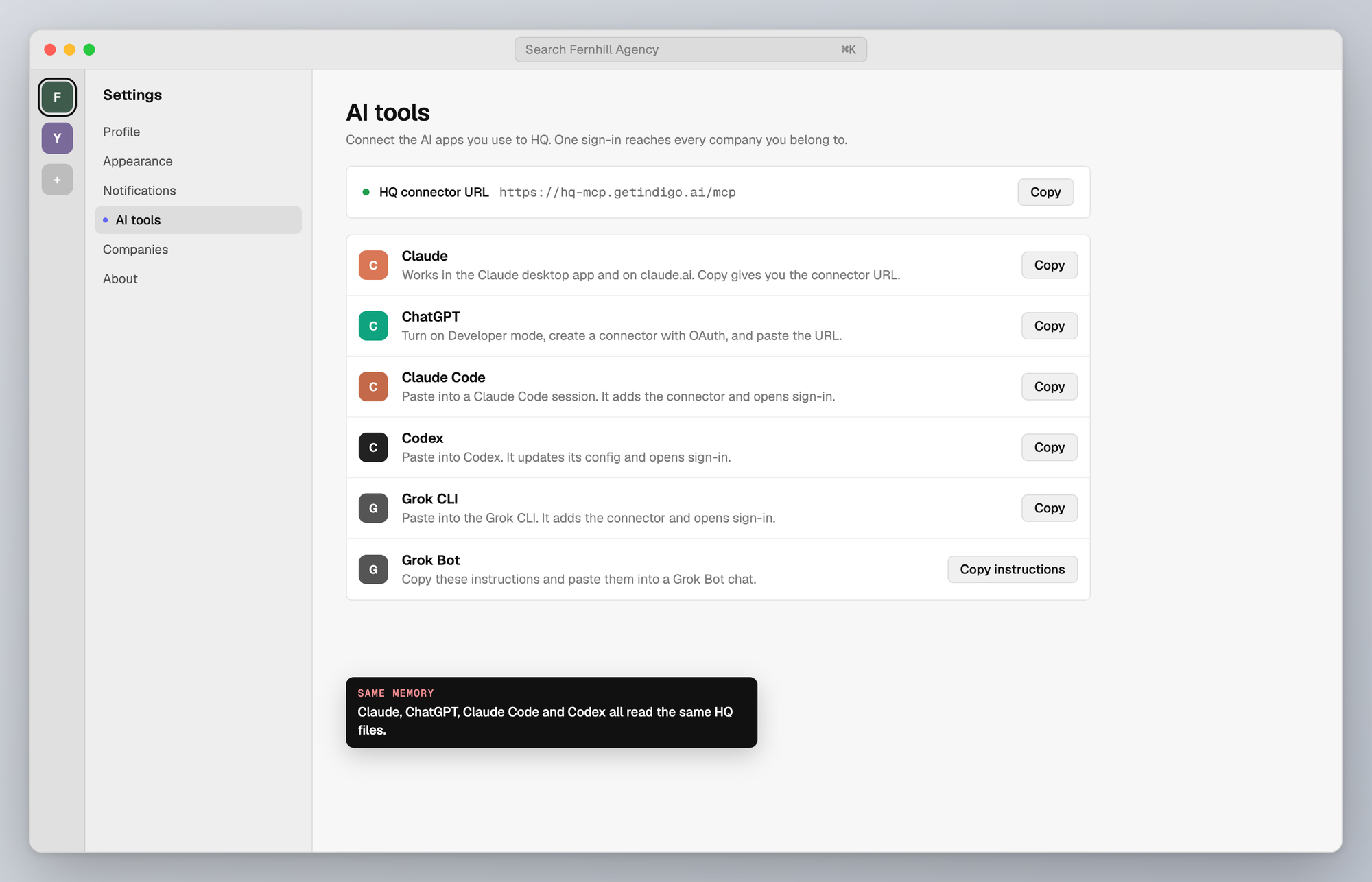
Claude chat, ChatGPT, Claude Code and Codex can each be connected to HQ. Through that connection they search, read and save the same company files, use stored secrets without the values showing up in chat, and reach the company's connected apps. When the studio's founder saves a decision from Claude chat, the developer working in Codex can find it in their next session.
You choose who can see each part of that knowledge, per person and per group. For the bigger picture of what sits around the shared files, see what HQ does for a whole team and building a shared company brain.
FAQ
Does Claude Code read AGENTS.md?
Claude Code reads AGENTS.md from v2.1.277 on, when the project has no CLAUDE.md in the working directory or above it [2]. If there's also a CLAUDE.md, it reads only that file unless the CLAUDE.md imports AGENTS.md.
Does Claude chat memory carry over to Claude Code?
Anthropic's memory article covers chat, the desktop and mobile apps, and Cowork, and it doesn't list Claude Code [1]. Claude Code uses its own CLAUDE.md files and auto memory [2].
Is Claude Code's auto memory shared with my team?
Claude Code's auto memory stays on one machine and isn't shared across machines or cloud environments [2], so anything the team needs should go in files everyone can reach.
How long can an AGENTS.md file be?
Codex stops adding AGENTS.md files once their combined size reaches 32 KiB by default, a limit set by project_doc_max_bytes [3]. Anthropic suggests keeping each CLAUDE.md under 200 lines [2].
Sources (4)
- Using Claude's chat search and memory to build on previous context, Claude Help Center, checked November 9, 2026.
- How Claude remembers your project, Claude Code docs, checked November 9, 2026.
- AGENTS.md, OpenAI Codex docs, checked November 9, 2026.
- Model Context Protocol, project site, checked November 9, 2026.
Last updated November 9, 2026. Facts checked November 9, 2026.